How to Have a Great HubPages Profile Page

Your profile page is important because this is where you can introduce yourself to the HubPages community and to your future readers and fans...
There are rules about not having too many links in your HubPages articles, but with your HubPages Profile Page, there is no limit to the links that you can have. It is a good idea to use your profile page to promote your writing, on HubPages and in other places.
It is good to introduce yourself and tell the reader a little about you and your writing. If you can do that with links to your hubs, then that is a bonus.
You are allowed to advertise your own website or blog along with any referral codes for other sites you wish to quote. If you run a business, you can advertise it here.
Always provide a link so that if a reader joins HubPages after reading your profile page, they will do so using your referral code.

You can also tell your reader your best or most popular hubs. Don’t forget to put your URL tracker codes in any links you provide.
While there are no Google ads on your profile page, you are aiming for the reader to read more of your articles, or better still become a fan.
Make your profile page look attractive and inviting to read. Make sure you have a really good avatar or profile picture. Look at other people’s avatars and other profile pages to get ideas. It helps to have an avatar with bright colors rather than browns and grays. Make sure there are no spelling or grammar mistakes or people will not be interested in reading more of your work.
Make sure you check your profile page regularly to see that it is up to date with what you want to say. When I link to HubPages from other sites, I use my profile page. It is a teaser to tell the reader what I’m writing about, so it’s important to make it inviting.
If you have had any achievements related to HubPages, then this is the place to mention it. These include being entered in the HubNuggets contest, writing a 100th or 500th hub or winning a competition.
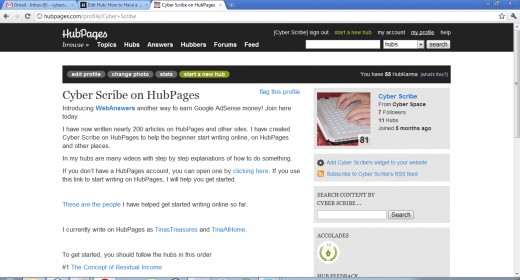
- A Profile Can Make or Break You
When I first joined Hubpages I was new to article writing and over time I become proficient. I was able to see the potential to earn revenue online. One of the first steps I was asked to do when...